
.gif)


.gif)
.gif)
.gif)

_1064.gif)


.gif)
.gif)












Yinlin Stabbed Part 1 SD Update + How to apply blood effects/stab wounds to your desired character
Hi all, as all of you who downloaded the Yinlin Stabbed SD should have realized, the character in the SD does not have any blood effects or wounds like Yinlin in the video.
This is intentional for two reasons: first, the blood/injury overlays on Yinlin are part of a Fanbox supporter exclusive item, and second, the overlays will disappear anyway once you switch characters in the studio, so it is pointless for me to include them.
To make your desired character have the same blood effects/stab wounds as Yinlin in the video, you will need to manually apply my Blood/Injury overlays (can be downloaded here: https://nullpresence.fanbox.cc/posts/4144957 ) to your character. I have updated the Yinlin Part 1 SD to make it easier for you guys to apply the overlays (download the SD here or through the link in the initial post)
STEP-BY-STEP GUIDE ON HOW TO APPLY YINLIN'S WOUNDS/BLOOD EFFECTS TO YOUR DESIRED CHARACTER
1. Download the overlays here: https://nullpresence.fanbox.cc/posts/4144957 and read "How to use" to learn how to apply the overlays to your character.
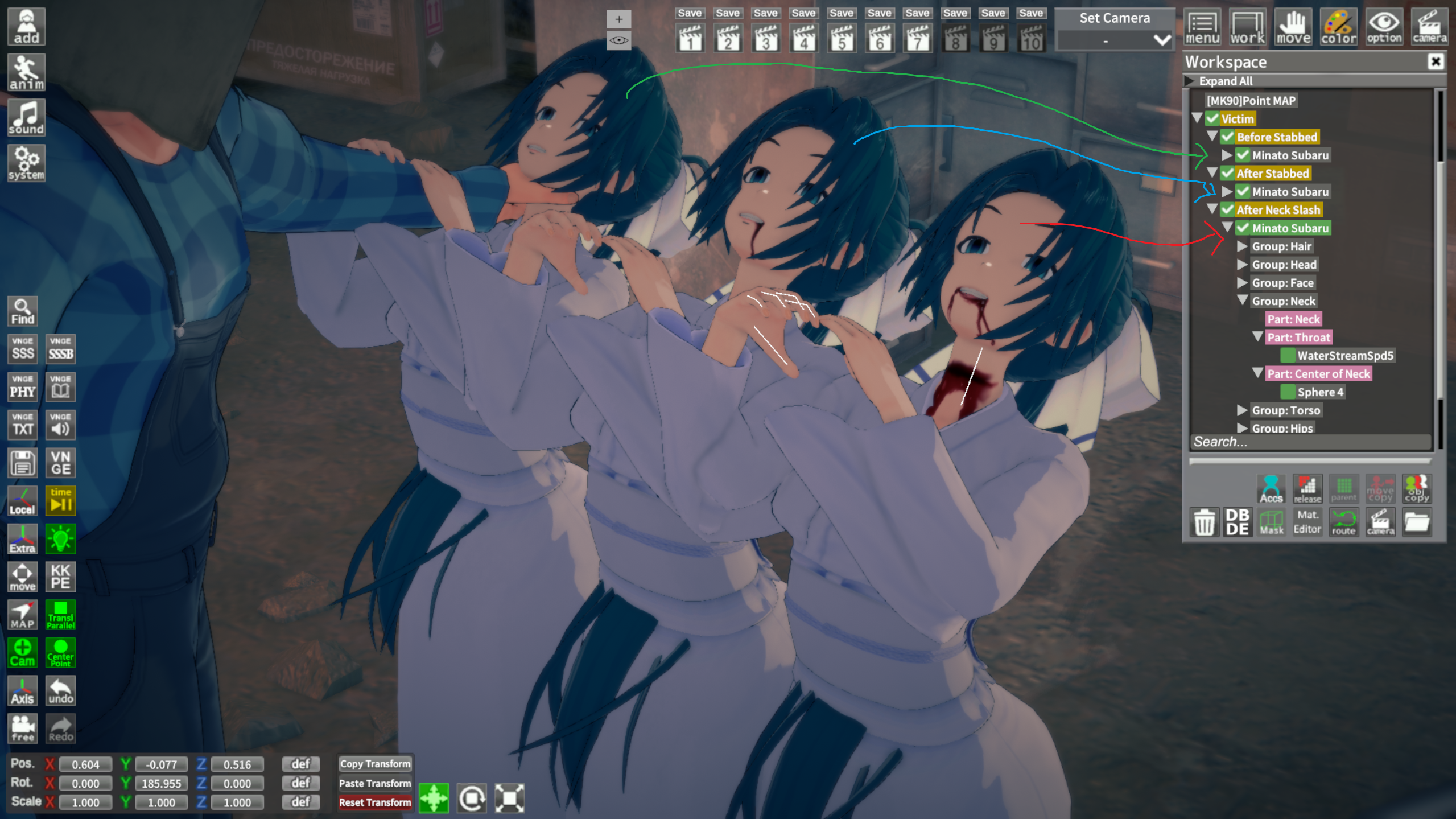
2. In Chara Maker, make 3 copies of the same character.
3. The first copy is clean with no overlays - let's call it "Before Stabbed" for now.
For the second copy, apply "MouthBloodDown01" to Face Overlay and "StabStomach02" to Body Overlay; we'll call this second copy "After Stabbed"
Finally, apply "MouthBloodDown03", "neck_slash2" and "StabStomach02" to the third copy - this will be the "After Neck Slash" copy.
4. Once you have saved three copies, load the updated SD and just replace each Minato Subaru in the "Victim" folders with the copies you have created